What are Onix Tags?
Onix Tags are a physical link between your equipment and its digital twin in Onix Work.
When your equipment is tagged with an Onix Tag, you can simply scan it to access all essential information like user manuals and inspection statuses. You can also start jobs on that equipment like pre-use checks.
Onix Tags are perfect for anyone that needs to easily identify equipment and access its data without having to search through endless Excel sheets and ring binders. With Onix Tags, you can:
- Save time
- Improve information sharing
- Reduce risks of incorrect equipment use
- Prevents costly equipment loss
- Ensure compliance
How do Onix Tags work?
- Onix Tags use QR, RFID or NFC technology that are unique identifiers and connect an item to its digital record in Onix Work.
- Simply attach Onix Tags to your equipment and link them to the item in Onix Work.
- Once linked, you can use smart devices or handheld scanners to scan tags and open equipment information.
- You can even start work in Onix Worker (daily equipment app for workers), Onix Tool Store (app for checking in and out of equipment), and Onix Inspect (inspector app).
- Tags make accessing and updating equipment data simple so that you can ensure everyone has the information they need for safe, efficient and compliant work.
Which equipment can you attach Onix Tags to?
- Onix Tags can be attached to all types of equipment.
- We have tags that are designed to work on a huge range of surfaces and equipment types.
- Examples of equipment that can be easily tagged include lifting gear, tools, machinery, vehicles, electronics, PPE, bicycles.
- Our tags have a range of attachment types and scanning methods so you can choose the right solution for your work.
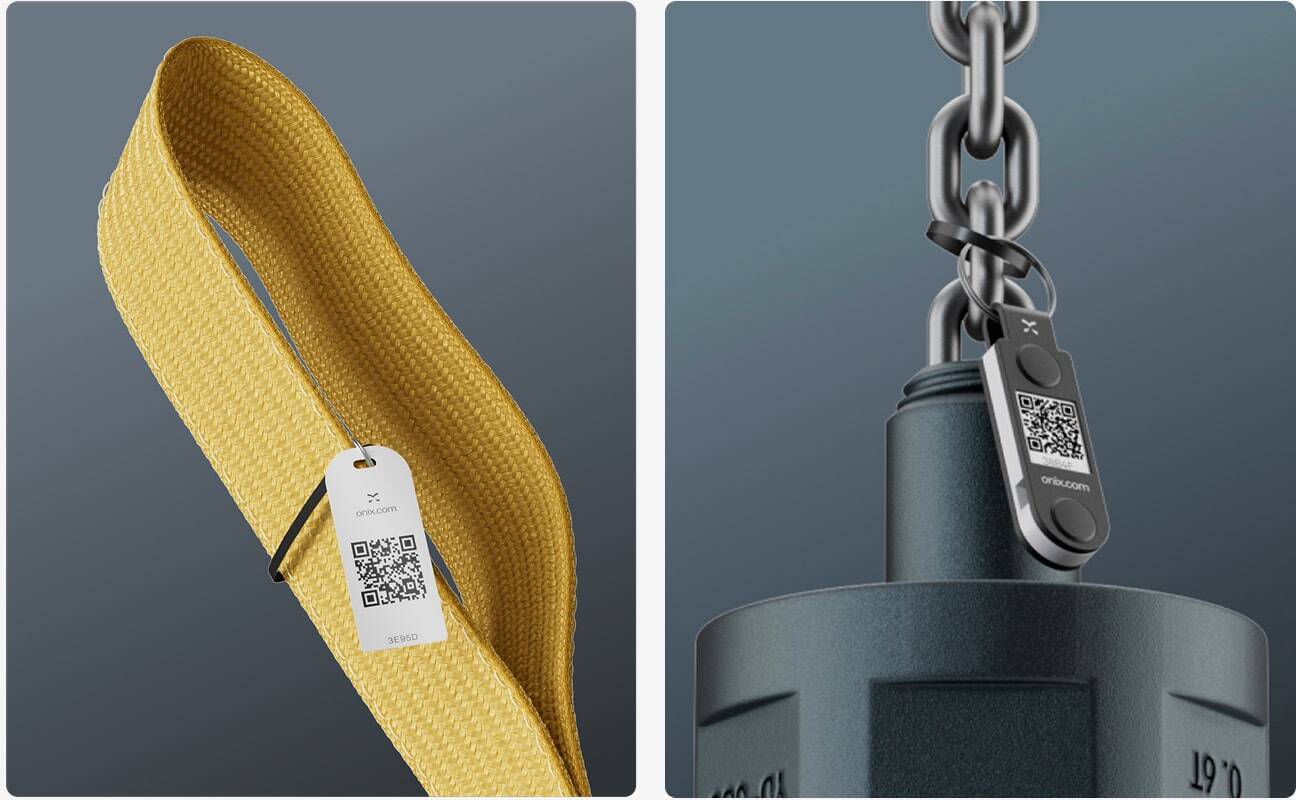 Onix Tags can be attached to all types of equipment.
Where can you buy Onix Tags?
- You can browse and buy Onix Tags in the Onix Shop
- If you’re unsure what you need, please reach out to your Customer Success Manager who can help guide you.
How to get started with Onix Tags
Ready to get started with Onix Tags? Here’s a step-by-step guide:
1. Decide which tag technology suits your equipment
Onix offers QR, RFID (RAIN) and NFC tags. These technology types will influence how the tag can be scanned.
- QR codes can be scanned with any camera or QR scanner.
- NFC tags can be scanned with smart devices like mobile phones.
- RFID tags must be scanned with specialist scanners.
Go to the Onix Shop and browse our tag types.
Choose the tag technology based on your needs:
- QR or NFC are good when you need simple, low-cost tagging and manual scanning (e.g. inspectors on site, workers, occasional checks).
- RFID (RAIN / UHF) is better when you need fast scanning, bulk reads, or where tags may not be visible (e.g. warehouse, metal surfaces, multiple items).
Use tags suitable for the type of surface (metal, plastic, fabric, etc.) and environment (outdoor, harsh, maintenance, etc.) as Onix offers a variety of tag models.
Top tip: use the filters in the Onix Shop to narrow down tags based on technology type, the surface tags will be attached to and the type of attachment (glue, keyring, cable tie. sticker/adhesive and sew-in)
2. Order Onix Tags in the Onix Shop
Once you have found the right tags for you in the Onix Shop, simply add them to the cart and check-out. Your new tags will be sent out by our team and delivered to your door.
3. Attach tags to your equipment
- Get your equipment ready to attach tags to. We recommend you do this as part of normal maintenance or inspection routines to save time.
- If you are using glue or adhesives, make sure you clean the attachment area on the equipment first to ensure the best result.
- Attach the tags to your equipment using the recommended method for each tag type
Top tip: if you are attaching stickers to fabric slings, they stick better on the plastic labels.
Download Guidelines for equipment tagging here:
 Onix Tags can be used on almost any equipment and come in a variety of attachment options.
4. Link each tag in the Onix system
- Now you need to link the tagged equipment to the equipment record in our digital database.
- You can either open Onix Work or the Onix Worker app.
- Simply open the equipment and edit the field “Onix ID”
- Fill out the Onix ID from your Onix Tag. Click save.
- If you are using the Worker-app or the Inspect-app, you can click the QR icon in the top right corner. The camera on the device will automatically open and you can now scan your tag to connect it to the equipment.
- Your tags are now live!
Top tip: Use an app to seamlessly connect your tags to specific equipment, to lower the risk of human errors.
5. Manage your access settings
You can also manage access to information through Onix Tags to choose who can view what data when they scan.
- In Onix Work, go to Settings – System setup
- Scroll down to Equipment
- Mark or unmark “Prevent viewing of my equipment in guest mode”
6. Train staff & implement tagging workflow
- Now that your tags are setup, it’s time to train your staff and roll-out your tagging workflow. This is essential to make tags part of your normal routines
- Build a plan of how you want Onix Tags to be used during your workday for example for equipment check-in/out, inspections, maintenance, handovers, return of tools.
- Train your team on how to scan and start work in Onix applications.
- As an admin, you can maintain a central dashboard in Onix Work for a compete overview of all equipment: status, location, inspection history, overdue maintenance, lending history etc.
- Regularly review use of the system in the early days to make improvements that meet your needs and to help employees with process changes.
Top Tips:
- Start small! Train a few key users first so they can support the rest of the team when the tagging workflow is rolled out.
- Create simple, step-by-step routines for staff. Clear instructions lead to consistent scanning and fewer mistakes.
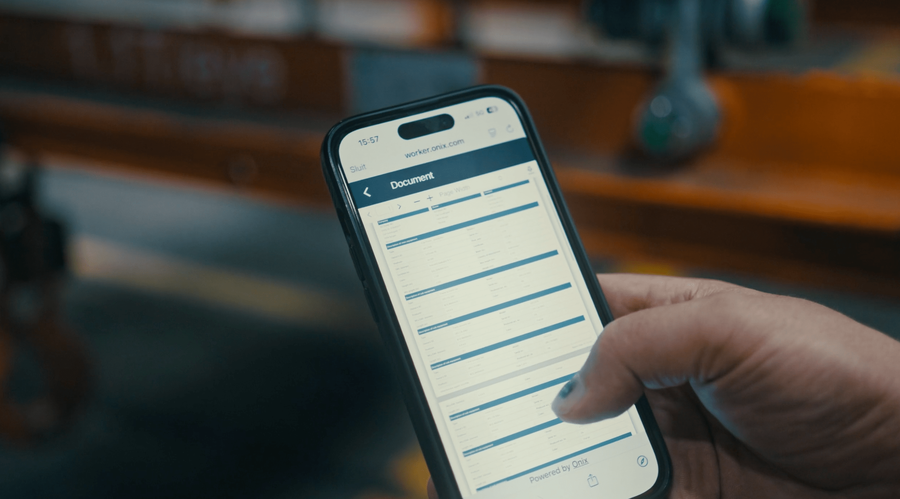
With Onix Tags workers can simply scan a tag to get access to documentation and critical information.
Summary
Onix Tags can help you gain an even higher level of control over your equipment. They can fit the needs of any business scale and are available in formats for all equipment types.
Setup is simple and the benefits of instant access to equipment information can be seen in safety, efficiency and compliance.
With Onix tags, you can modernize your equipment processes. To make this as smooth as possible, it’s important that you plan implementation properly and educate your employees and stakeholders along the way.
Want more tips of guidance on Onix Tags? Get in touch with one of our experts today
Ready to get started? Get browsing tags in the Onix Shop.