Autumn 2026 release.

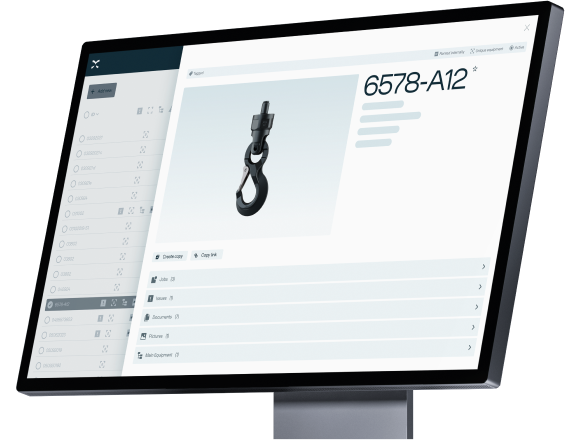
The Autumn 2026 Release brings new ways to collaborate, manage equipment, and streamline everyday workflows. From improved communication and mass editing to smarter scanning, expanded integrations, and the first Onix AI features, these updates are designed to make Onix more connected, efficient, and easier to use.
image-4332

Work smarter. Stay connected.
Get more done.

Highlights:
Collaborate directly in Onix
New chat functionality makes it easier to communicate with colleagues, inspectors and suppliers directly from each equipment record.

Manage more in less time

Mass editing across equipment and issues makes it easier to update multiple records in a single process, while new tagging and scanning capabilities simplify equipment management.

Connect, automate and work smarter

New API capabilities, increased order capacity, new AMTeK forms, and the first Onix AI features expand what you can do with Onix.

The key updates for each user segment are summarized in the sections below. Watch the videos with the Onix Product Managers for an overview and demos. Scroll or click the links below 👇


Equipment Owner
Inspector
Supplier


Register for our Q&A webinar here to ask your questions.

Explore the full release notes in Onix Community. 

Key improvements for owners

Onix AI

Onix AI

- Create new checklists and edit existing ones with AI

- Use prompts and documents to simplify checklist creation
Collaboration

Collaboration

- New chat functionality in Onix Work and Worker

- Chat with colleagues, inspectors and suppliers directly from equipment

- Tag team members and receive in-app push notifications
Tagging

Tagging

- Tag equipment directly from Onix Work

- Connect scanners from your desktop

- Set up and manage tags without switching applications
Mass editing

Mass editing

- Select multiple issues and update them in one process

- Simplify issue management and reduce repetitive work

Key improvements for inspectors

Mass editing

Mass editing

- Select multiple issues at once

- Update all selected issues in one process

- Reduce repetitive work when managing issues
Mass scanning

Mass scanning

- Scan multiple RFID- and QR-tags in Onix Inspect

- Identify multiple pieces of equipment in one process

- Speed up equipment registration and inspection
Onix AI

Onix AI

- Create new checklists and edit existing ones with AI

- Use prompts and documents to simplify checklist creation
Layout-Lists--Streamline-Sharp.svg

Equipment groups

- Improvements make it easier to manage internal and customer equipment.

- Equipment groups can now be assigned to a location and area.

- Can be administered in the companies module for customers.

- Create QR codes based on equipment groups.
heart-rate-search--health-medical-monitor-heart-rate-search

Issues module

- Issues reports can now be exported to Excel.

- Can now also sort and group issues.

- Possible to display product ID as a field.
Qr-Code--Streamline-Sharp.svg

QR codes

- Can now include properties, show the names of different fields and select language.

Key improvements for suppliers

Order lines

Order lines

- Increase the maximum from 1,000 to 10,000 order lines

- Create larger orders more efficiently

- Support high-volume order creation

APIs

APIs

- Two new API POST endpoints for non-member companies

- Create or update company information using ERP data

- Create or update member company locations for delivery needs
AMTeK forms

AMTeK forms

- Five new AMTeK forms for the Dutch market

- Forms for hoisting, lashing and work equipment

- Forms for fall protection equipment and steel wire


FAQ


The new Products module keeps all existing features and adds new ones. It’s designed for better consistency and improved efficiency.

What are the highlights?

The new Products module offers bulk editing and flexible navigation. 

I want to suggest new functionalities for the new Products module.

Please let us know your suggestion or feedback via Onix Community: community.onix.com/c/product-ideas/5

I have feedback!

Please let us know your idea and feedback via: community.onix.com/c/product-ideas/5

Our Product members will continue discussing with you further.

Sign up for the Q&A webinar:


Want to ask questions about the new release?

Join a session with the Onix Product Managers to ask the experts about the latest release and newest features in Onix Work. 

Date: October 1st 
Time: 10:00 CET


Want to explore all features?

The full release notes for autumn 2026 are available in the Onix Community.
Read Release Notes