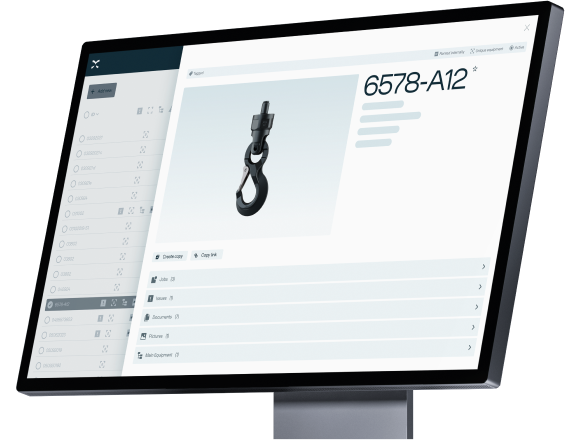
Summer 2026 release.

The Summer 2026 Release delivers a refreshed user experience and valuable new functionality designed to improve visibility, simplify workflows and support smarter operations.
image-4332

Simple and intuitive features

This release is all about adding new and improved features that make Onix Work simpler and more intuitive for users. 

The key updates for each user segment are summarized in the sections below. Watch the videos with the Onix Product Managers for an overview and demos. Scroll or click the links here 👇

Equipment Owner
Inspector
Supplier


Register for our Q&A webinar here to ask your questions.


Explore the full release notes in Onix Community. 


Key improvements for owners

Competency

Competency

- Users can now define competency requirements for using equipment

- Users can also register who has the required competency
Project module

Project module

- Manual dispatch and receipt of equipment in Tool Store

- Notification in Tool Store when discarded equipment is attempted scanned

- It is now not possible to dispatch equipment that is not reserved as part of the project
Other improvements

Other improvements

- New start page when you log in to Onix

- New and vertical navigation bar

- Export of QR codes linked to products

Key improvements for inspectors

Onix Admin

Onix Admin

- Onix Admin is the new page for administrators

- Overview of consumption and agreement data, including consumption status

- Equipment summary, including total number and active vs. inactive status

- Volume charts showing usage of Express documents per month

- Transition to detailed document transaction tracking in new contract periods
Onix Inspect updates

Onix Inspect updates

- Product rules are now also available in Onix Inspect

- Enables more standardized workflows
Inspection projects

Inspection projects

- Plan and assign inspections

- Keep track of progress

Layout-Lists--Streamline-Sharp.svg

Equipment groups

- Improvements make it easier to manage internal and customer equipment.

- Equipment groups can now be assigned to a location and area.

- Can be administered in the companies module for customers.

- Create QR codes based on equipment groups.
heart-rate-search--health-medical-monitor-heart-rate-search

Issues module

- Issues reports can now be exported to Excel.

- Can now also sort and group issues.

- Possible to display product ID as a field.
Qr-Code--Streamline-Sharp.svg

QR codes

- Can now include properties, show the names of different fields and select language.

Key improvements for suppliers

New Order module

New Order module

- Modernized order module with improved design and user experience

- Faster workflow through more efficient order and order line handling

- Customizable views and improved filtering for easier order management

- Bulk editing of order lines, including updating properties, changing groupings, and deleting multiple lines
New EKH Certificates

New EKH Certificates

- Ability to deliver equipment with new EKH certificates and Reports of Examination directly from the order module, as well as configure these in the product module


FAQ


The new Products module keeps all existing features and adds new ones. It’s designed for better consistency and improved efficiency.

What are the highlights?

The new Products module offers bulk editing and flexible navigation. 

I want to suggest new functionalities for the new Products module.

Please let us know your suggestion or feedback via Onix Community: community.onix.com/c/product-ideas/5

I have feedback!

Please let us know your idea and feedback via: community.onix.com/c/product-ideas/5

Our Product members will continue discussing with you further.

Sign up for the Q&A webinar:


Want to ask questions about the new release?

Join a session with the Onix Product Managers to ask the experts about the latest release and newest features in Onix Work. 

Date: June 12th 
Time: 10:00 CET


Want to explore all features?

The full release notes for summer 2026 are available in the Onix Community.
Read Release Notes