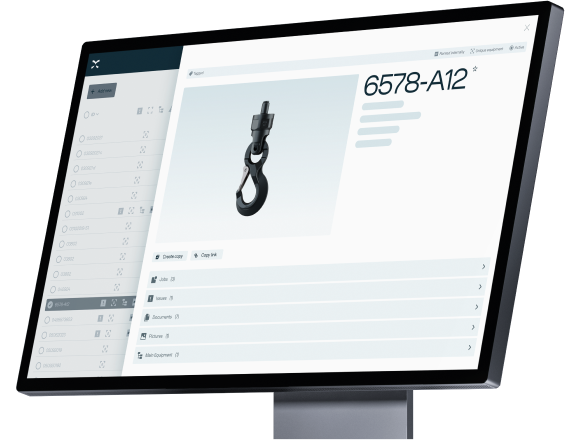
Winter 2026 release.

Designed to boost efficiency and compliance for equipment suppliers, owners and inspectors with significant enhancements across all Onix applications.
image-4332

Simple, secure and smarter workflows

This release focuses on practical improvements that make everyday work in Onix easier, more consistent and more secure — across inspections, projects and product management. Here are some of the highlights.


Improved security for all users
Two-factor authentication (2FA) is now available across multiple Onix applications, giving users stronger account protection with minimal setup.

More consistent product & stock management

Stock and consumable goods are now managed at the product level, improving data consistency, traceability and reuse across equipment.

Smarter inspection planning
Custom inspection intervals per equipment ensure jobs follow the correct regime, reducing manual adjustments and improving compliance.

Expanded inspection support
New SOLAS-compliant forms make it easier to create and manage regulated inspection jobs directly in Onix.

Better visibility and reporting
New dashboard widgets provide clearer insights into projects and issues.
Large project exports (up to 10,000 projects) give teams more flexibility for reporting and analysis.


Explore the full release notes in Onix Community. 


Key improvements for owners

2FA

Stronger security with 2FA

Helps protect company and user accounts across Onix applications.
Cleaner product data

Cleaner product data

Stock and consumables are now managed at the product level for better consistency and reuse.
Better insights

Better insights

Improved dashboards and project exports give owners clearer insight into projects and issues.

Key improvements for inspectors

Stronger security with 2FA

Stronger security with 2FA

Helps protect company and user accounts across Onix applications.
New SOLAS forms

New SOLAS forms

Support for SOLAS Forms 2, 3-M, and 4 in inspection workflows.
QR Code

Smarter Job intervals

Equipment-specific intervals in jobs instead of regime defaults.
Layout-Lists--Streamline-Sharp.svg

Equipment groups

- Improvements make it easier to manage internal and customer equipment.

- Equipment groups can now be assigned to a location and area.

- Can be administered in the companies module for customers.

- Create QR codes based on equipment groups.
heart-rate-search--health-medical-monitor-heart-rate-search

Issues module

- Issues reports can now be exported to Excel.

- Can now also sort and group issues.

- Possible to display product ID as a field.
Qr-Code--Streamline-Sharp.svg

QR codes

- Can now include properties, show the names of different fields and select language.

Key improvements for suppliers

Stronger security with 2FA

Stronger security with 2FA

Helps protect company and user accounts across Onix applications.
Multiple API keys with expiry

Multiple API keys with expiry

Create multiple API keys for your company account, each with an optional expiration date for better control and flexibility.


FAQ


The new Products module keeps all existing features and adds new ones. It’s designed for better consistency and improved efficiency.

What are the highlights?

The new Products module offers bulk editing and flexible navigation. 

I want to suggest new functionalities for the new Products module.

Please let us know your suggestion or feedback via Onix Community: community.onix.com/c/product-ideas/5

I have feedback!

Please let us know your idea and feedback via: community.onix.com/c/product-ideas/5

Our Product members will continue discussing with you further.

Want to explore all features?

The full release notes for winter 2026 are available in the Onix Community.
Read Release Notes